Final Challenge: Get the Call Through
Your attendee flow has been preconfigured with a few problems. Find and fix them so a test call reaches speaker's Agent Desktop.
Goal
Be the first attendee whose Agent Desktop rings with the challenge call. When it rings, let the facilitator know that you have won.
What is ready for you
- Your individual flow is named TS2026_Challenge_Your_Attendee_ID.
- Your individual dialed number Set your Attendee ID first is mapped to that flow. You will also find the number on the Credentials page.
Note
- Dialed Numbers are based in US, hence calls from your mobile might be charged.
- Use IP Phones on your desks to dial.
- Ask any speaker in the room to help you dial your DN.
Challenge
-
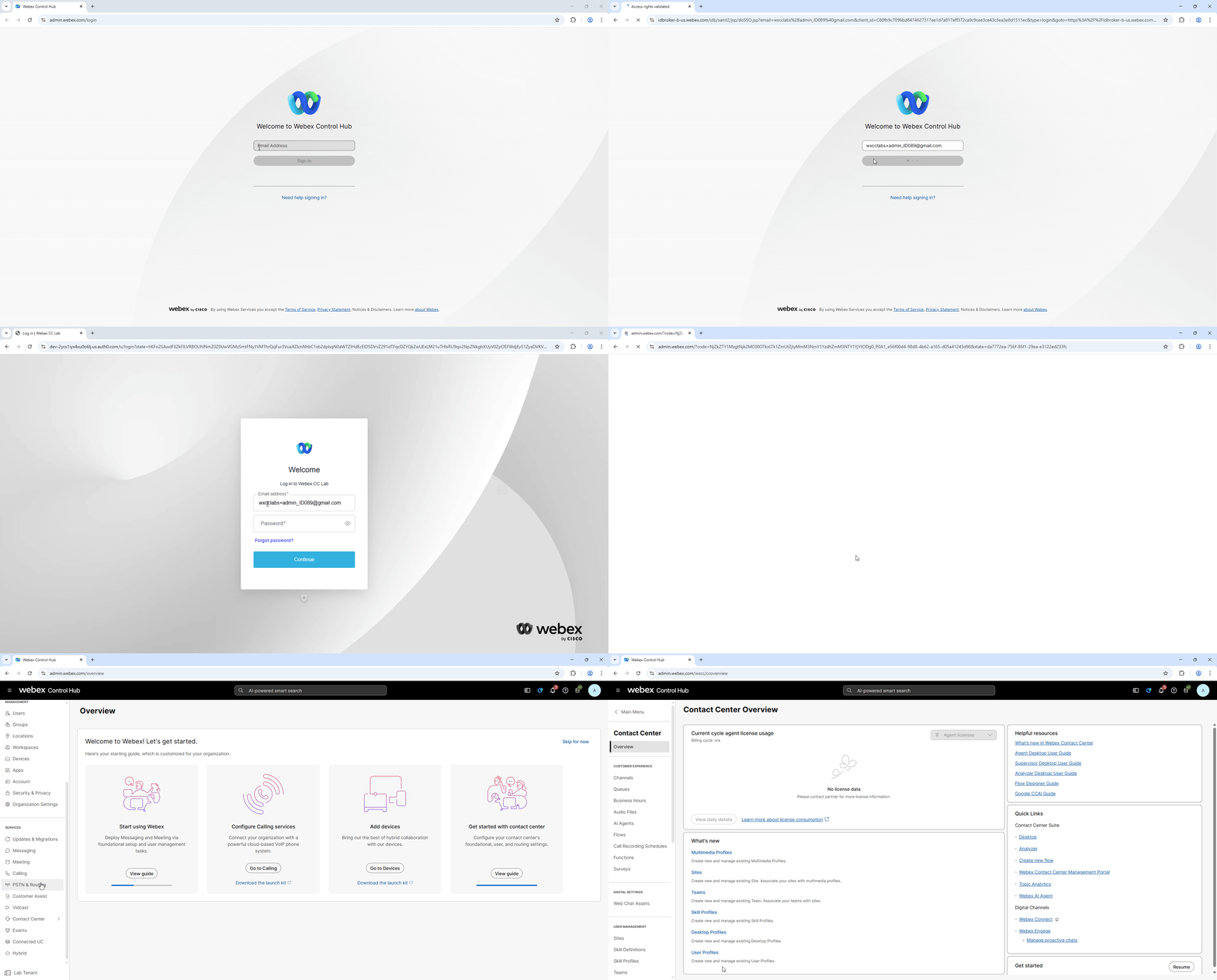
In Incognito/Private mode of your browser, sign in to Webex Control Hub with your provided admin credentials.
-
Go to Contact Center > Flows. Find and open TS2026_Challenge_Your_Attendee_ID. Make sure you are working on your own attendee flow.
-
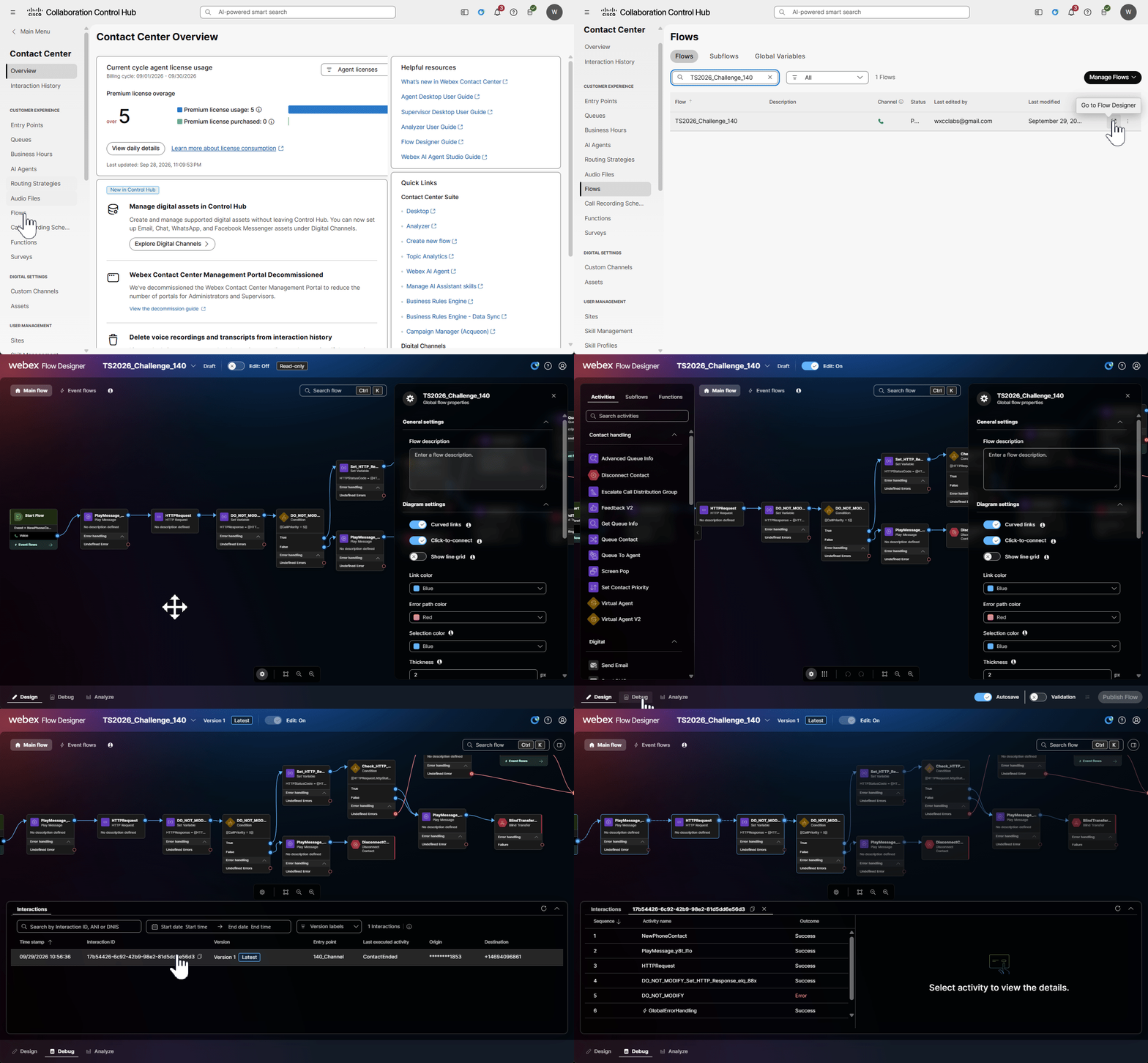
Open the flow's Debug view, then call your assigned dialed number. Use the Debug results to trace what happens and identify the flow problem.
Note
- Decryption has been enabled on your flow.
- First call to your flow has been made already.
-
Switch to Edit mode, correct the issue, and validate and publish the flow. Place another test call and check the Debug results again. Repeat until the call reaches your Agent Desktop.
Hint
There are three mistakes in the flow.
You win
If Agent Desktop rings with your Attendee ID. That is the finish line; no further flow changes are needed.
Good luck, and happy troubleshooting!