Integrate New Salesforce Connector with WebRTC
Please use the following credentials to complete the tasks:
Control Hub |
https://admin.webex.com |
Salesforce |
https://login.salesforce.com/ |
Note
Legacy (Version-1) Salesforce connector does not need any additional steps to use WebRTC.
Task Objectives
- Login with WebRTC on New Salesforce Connector (Version-2).
- Troubleshoot and configure the steps needed to enable WebRTC login
1. Using WebRTC Option
Attention
Please use the Firefox browser to access, configure, and test within the Salesforce portal.
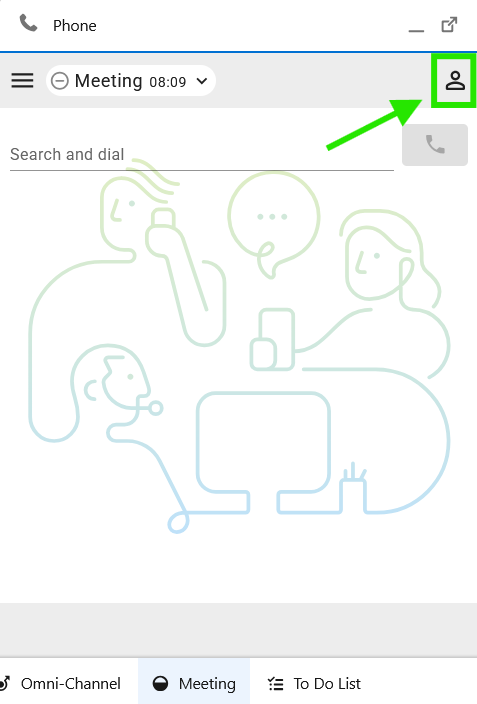
- Navigate to Agent Desktop and select the Avatar on the top right
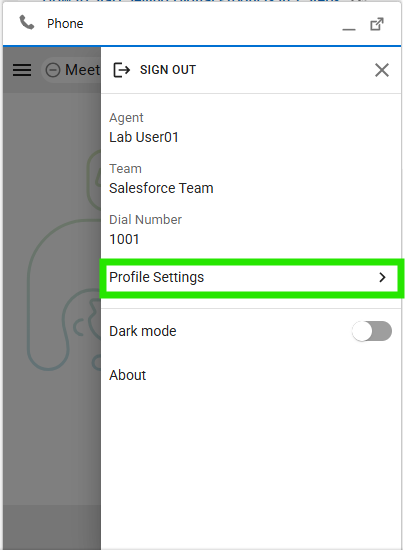
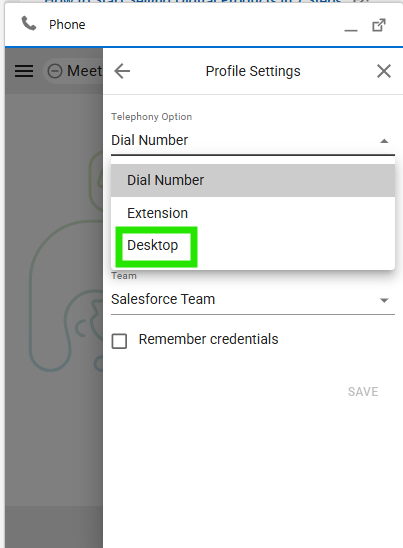
- Navigate to 'Profile Settings > Desktop > Save' (or type Call Centers in the search bar above the left-hand menu).
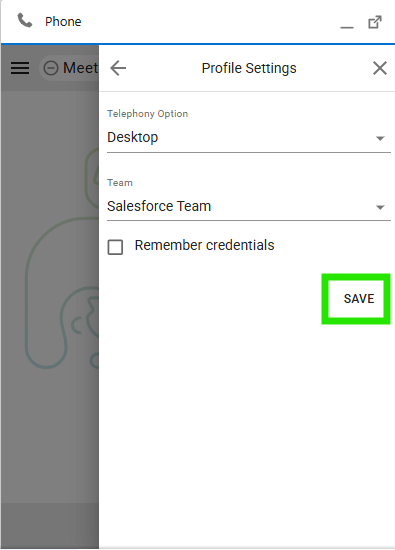
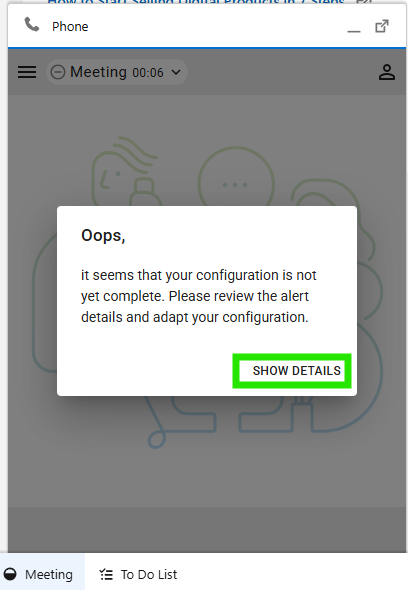
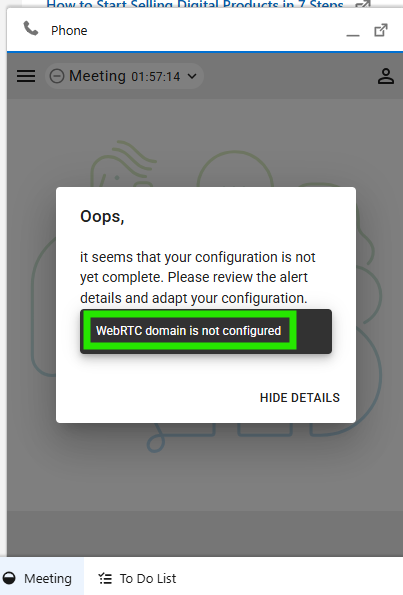
- Once the Save button is hit, the error message pops up "WebRTC domain is not configured"
2. Steps to Correct and Enable WebRTC Login
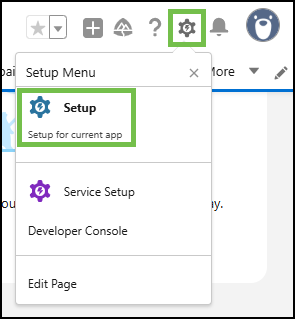
- In order to mitigate this issue, in Salesforce, navigate to 'Setup' by clicking the gear icon in the top-right corner and selecting 'Setup'.
-
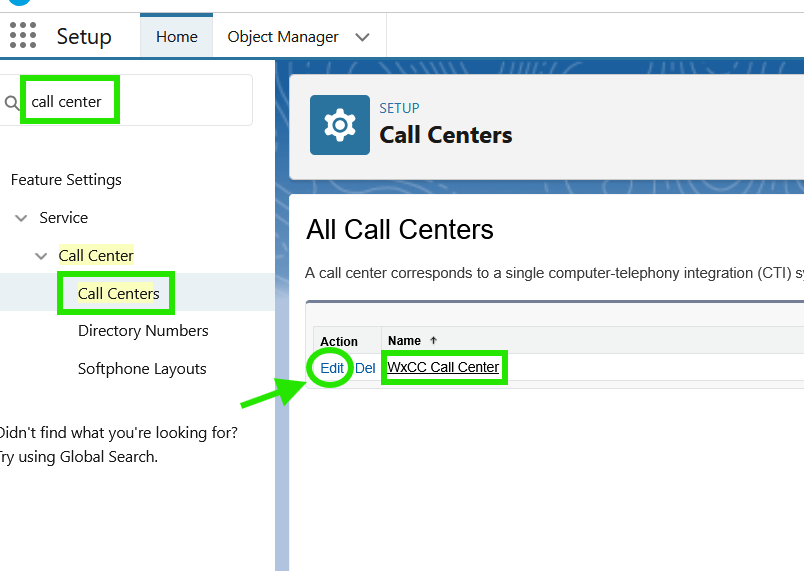
On the Salesforce portal, navigate to 'Feature Settings > Service > Call Center > Call Centers' (or type Call Centers in the search bar above the left-hand menu).
-
Click 'Edit' on the the call center definition file
WxCC Call Center
- Enter 'rtw.prod-us1.rtmsprod.net' in the 'WxCC WebRTC Domain'
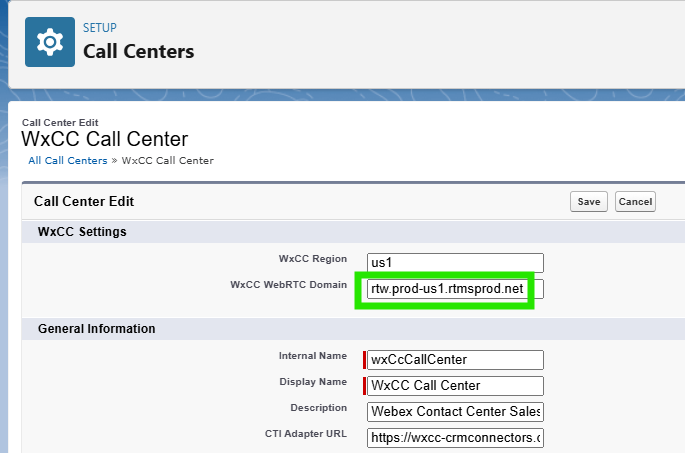
Note
The region defined here should match your Webex Contact Center region. Please refer to the Call Center configuration customizations section for the list of the domains for other regions
-
Click 'Save'.
-
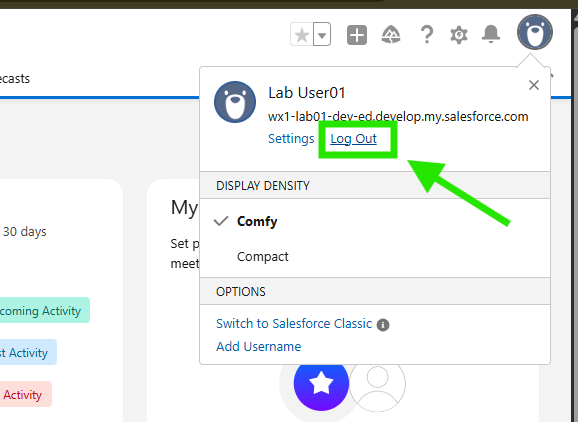
Logout and log back in to salesforce.
3. Testing
Attention
Please use the Firefox browser to access, configure, and test within the Salesforce portal.
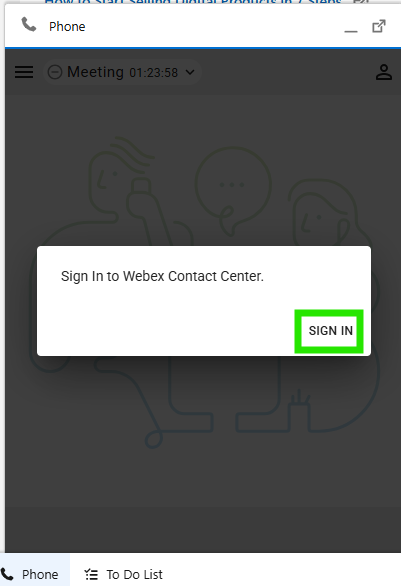
- Open the Webex Contact Center phone widget (bottom left) and login to Webex Contact Center Agent Desktop using the selected Webex Contact Center user credentials (e.g., labuserID@wx1.wbx.ai):
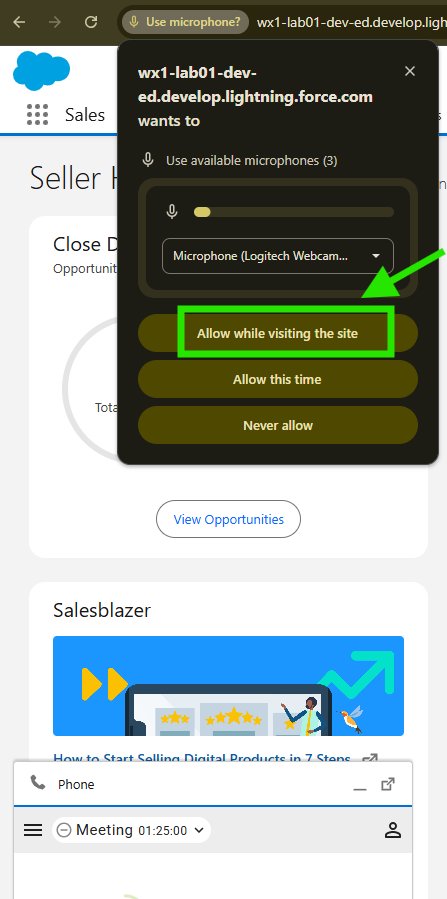
- Enable the microphone option as show below if prompted.
- Navigate to Agent Desktop and select the Avatar on the top right
- Notice the agent is now setup with WebRTC
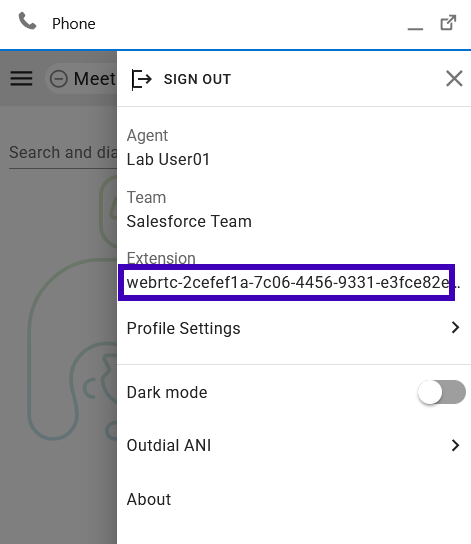
- Congratulations! You have complete the task.