Mission 1: Real Time Transcript
🚨 Important Lab Dependency
This mission requires configuration created in the following missions:
If this mission was not completed, some steps in current mission will not function correctly.
Feature Description
You can enhance communication efficiency and quality assurance in your contact center with the real-time transcripts feature. It allows agents to access real-time transcriptions of customer interactions directly on their Agent Desktop, enabling them to follow conversations more accurately and respond effectively.
Benefits
- Accurate communication: Captures conversations precisely, aiding understanding, especially with diverse accents or non-native speakers.
- Improved efficiency: Eliminates manual note-taking, enabling agents to focus and resolve issues faster.
- Better performance: Helps agents deliver timely, accurate solutions, boosting customer trust.
- Higher customer satisfaction: Reduces misunderstandings, improving CSAT scores and experiences.
- Training and quality assurance: Provides reliable references for coaching, evaluations, and compliance checks.
- Seamless integration: Easily integrates with systems, optimizing queue-level management.
- AI support: Enhances decision-making with complementary AI Assistant features.
Mission Details
Your mission is to:
- Verify Real-Time Transcript feature configuration
- Configure flow with Start Media Stream functionality
- Test Real-Time Transcript feature
[READ ONLY] Verify feature configuration
-
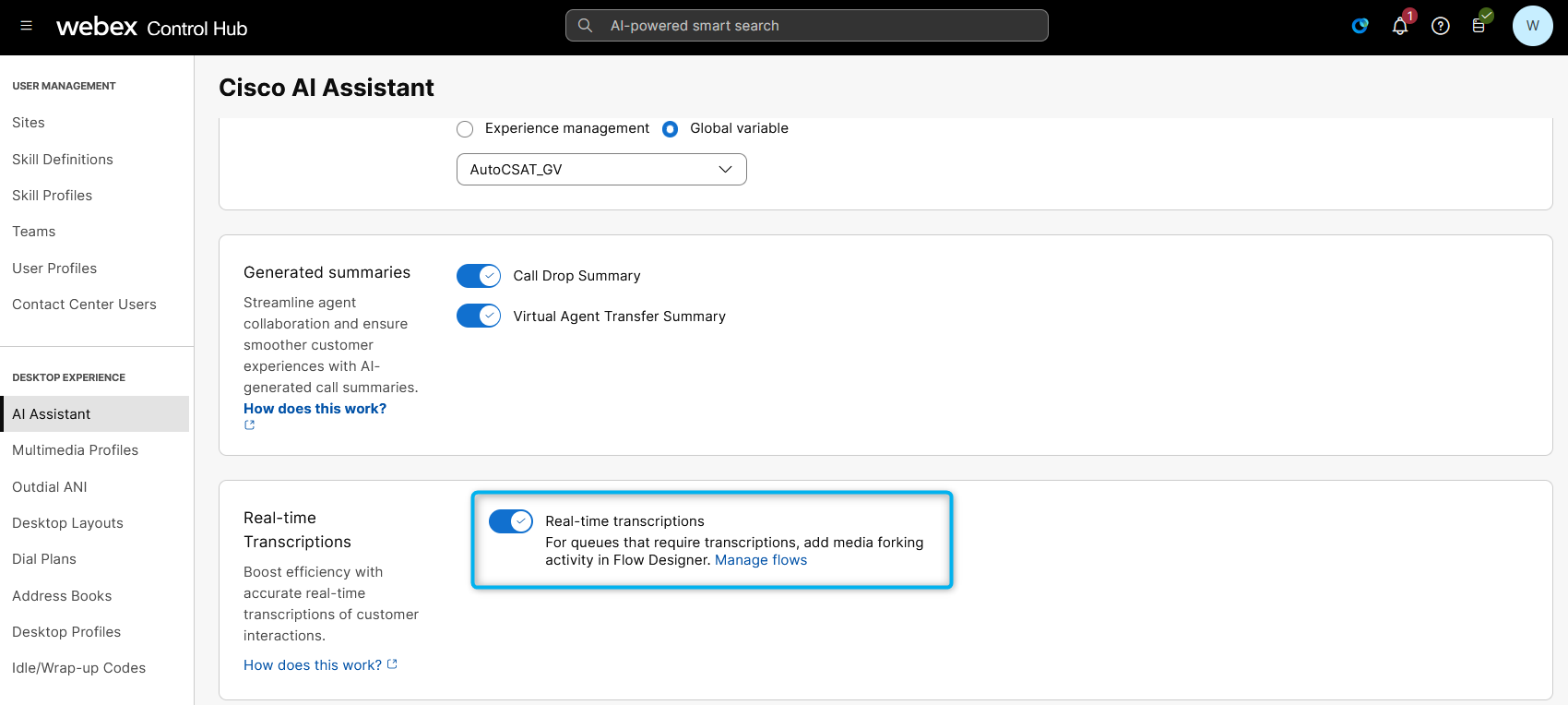
Switch to Control Hub and navigate to AI Assistant under Desktop Experience section. Make sure Real-time Transcriptions feature is turned on.
-
The agent’s team has been preconfigured with the Global Layout, which already includes the AI Assistant functionality. You can verify it visiting the following configuration pages in Control Hub:
a. Contact Center -> Teams (under User Management section) -> search for your team Your_Attendee_ID_Team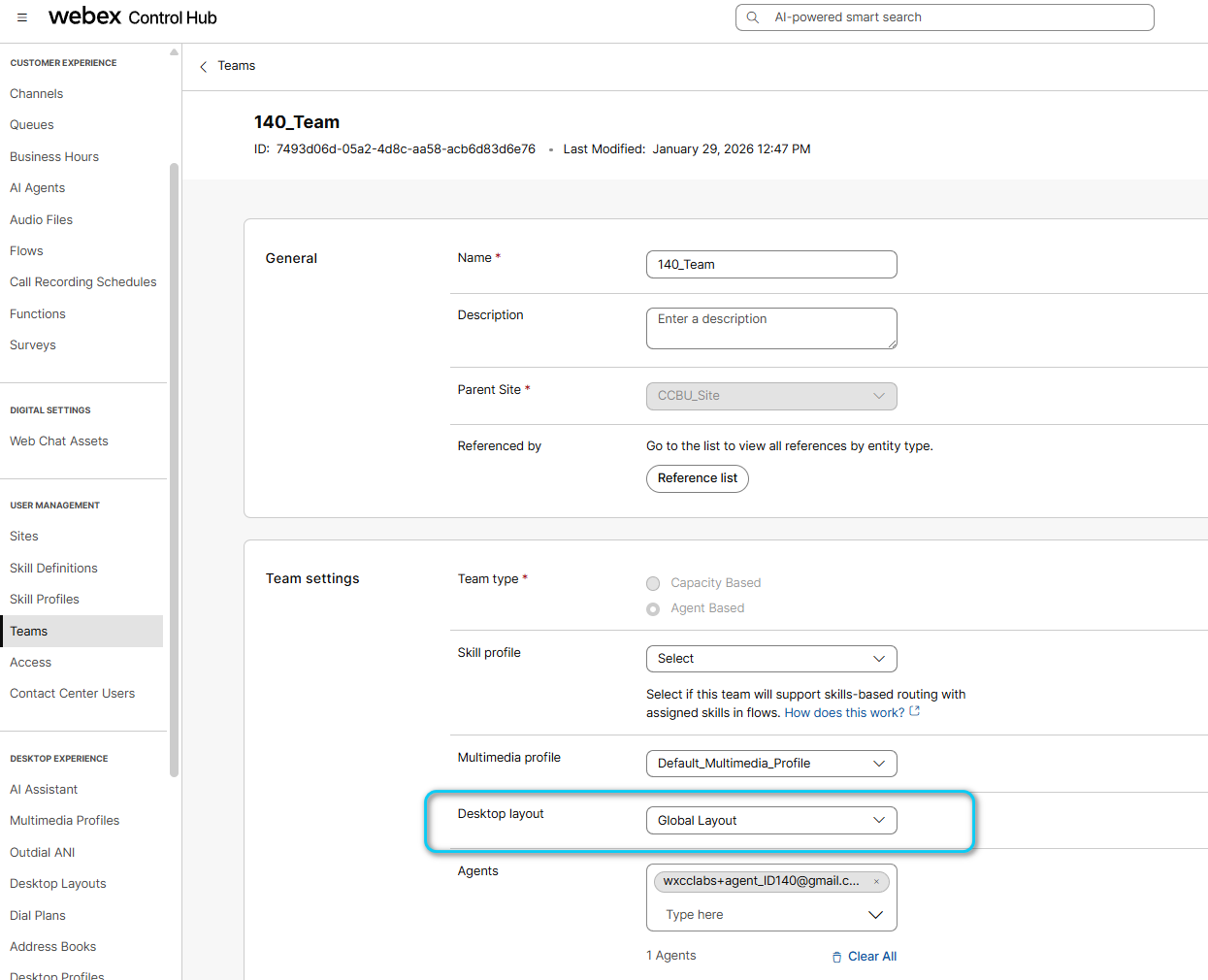
b. Contact Center -> Desktop Layout (under Desktop Expirience section) -> search for Global Layout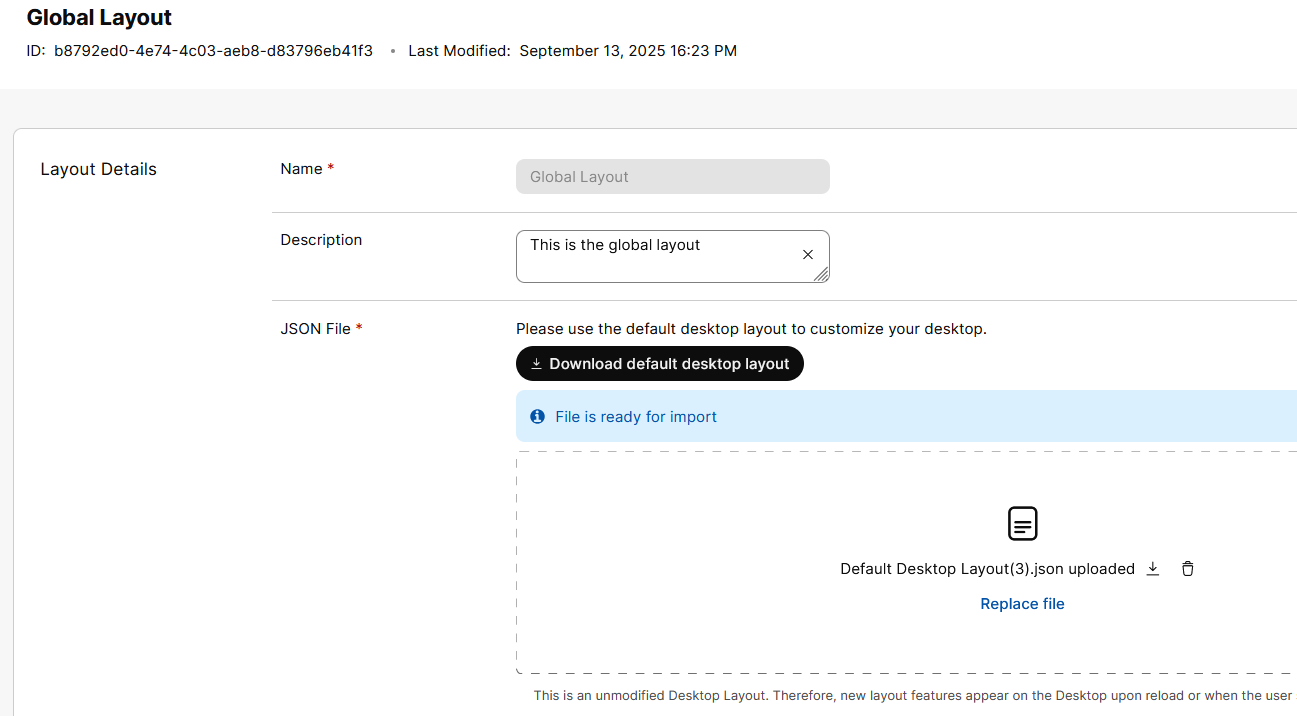
c. Click Download default desktop layout. Make sure RT_TRANSCRIPT widget is configured.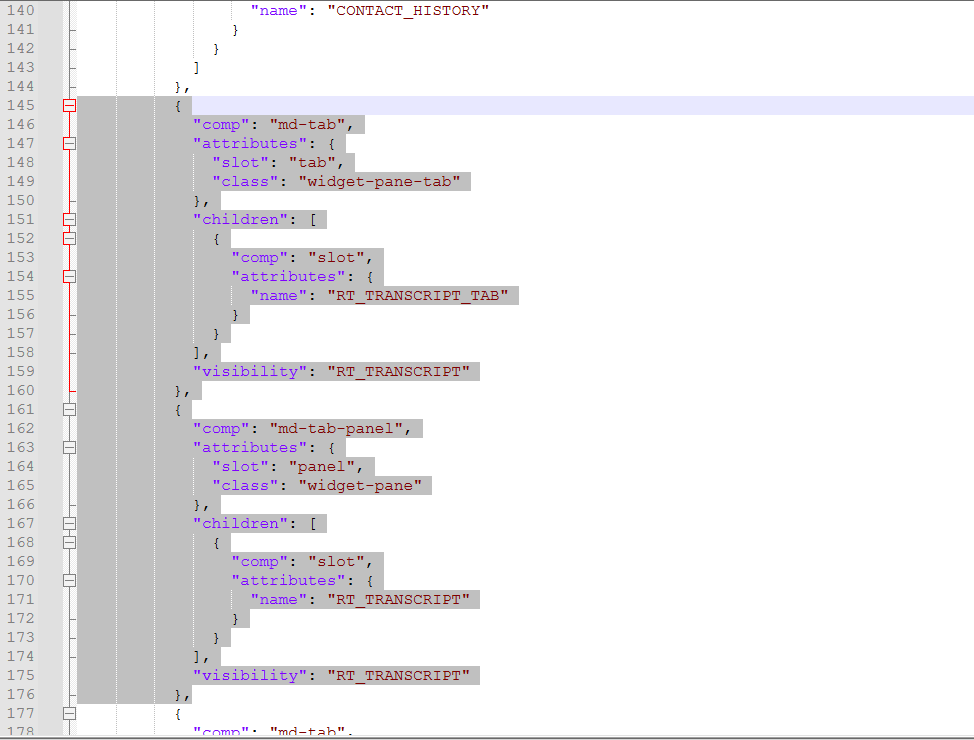
Or you can download preconfigured desktop layout here: Desktop Layout
Build
-
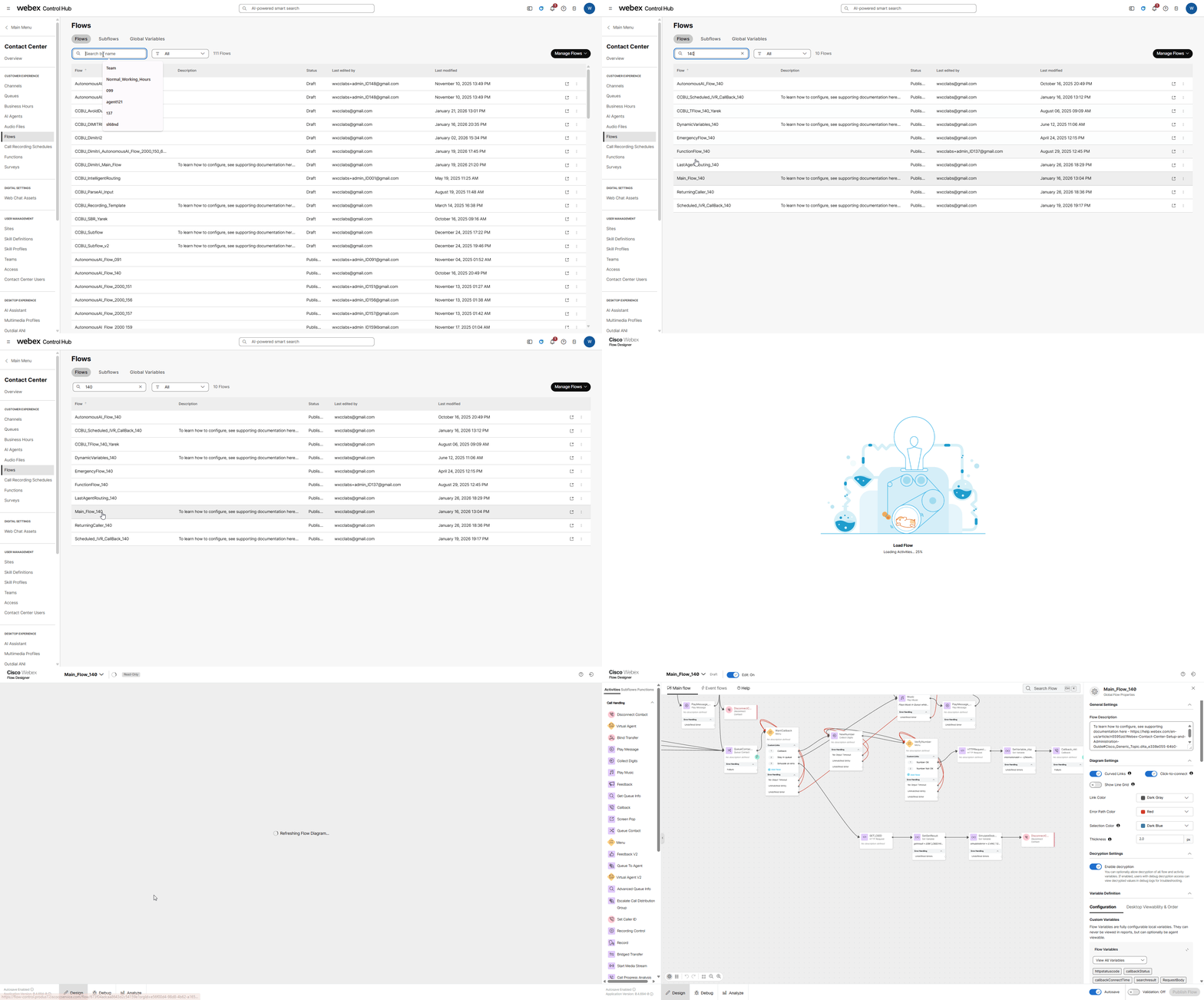
Open up your voice flow Main_Flow_Your_Attendee_ID and click on Edit.
-
Click on the Event Flow.
- Drag and drop Start Media Stream node and connect AgentAnswer node to the Start Media Stream node.
- Drag and drop End Flow node and connect Start Media Stream to End Flow.
-
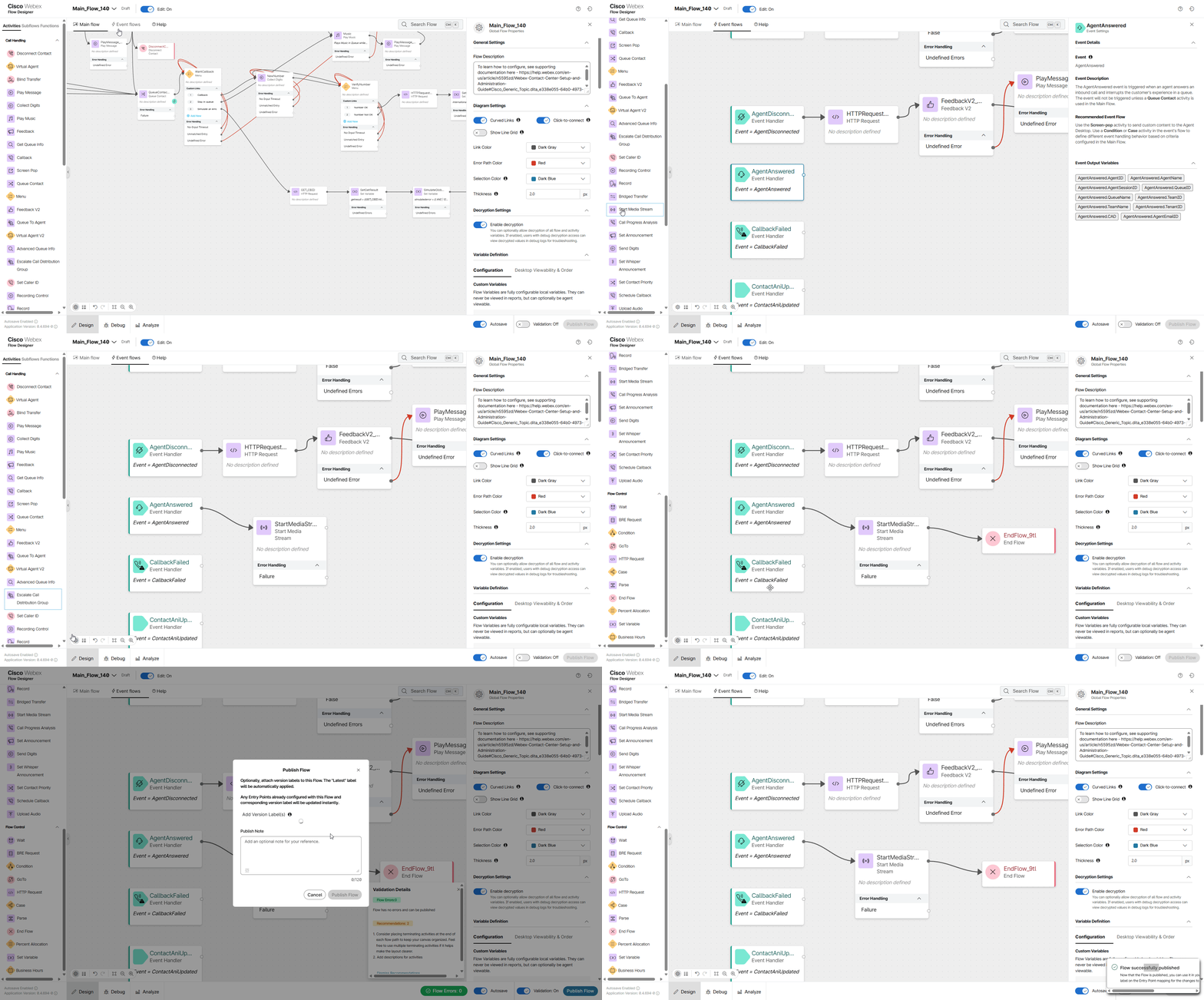
Validate and publish the flow:
-
Enable the Validation toggle in the bottom right corner of the flow designer window to check for any potential flow errors and recommendations.
-
If there are no Flow Errors after validation is complete, click on Publish Flow next to it.
-
In the pop-up window, ensure that the Latest label is selected in the Add Version Label(s) list, then click Publish Flow.
-
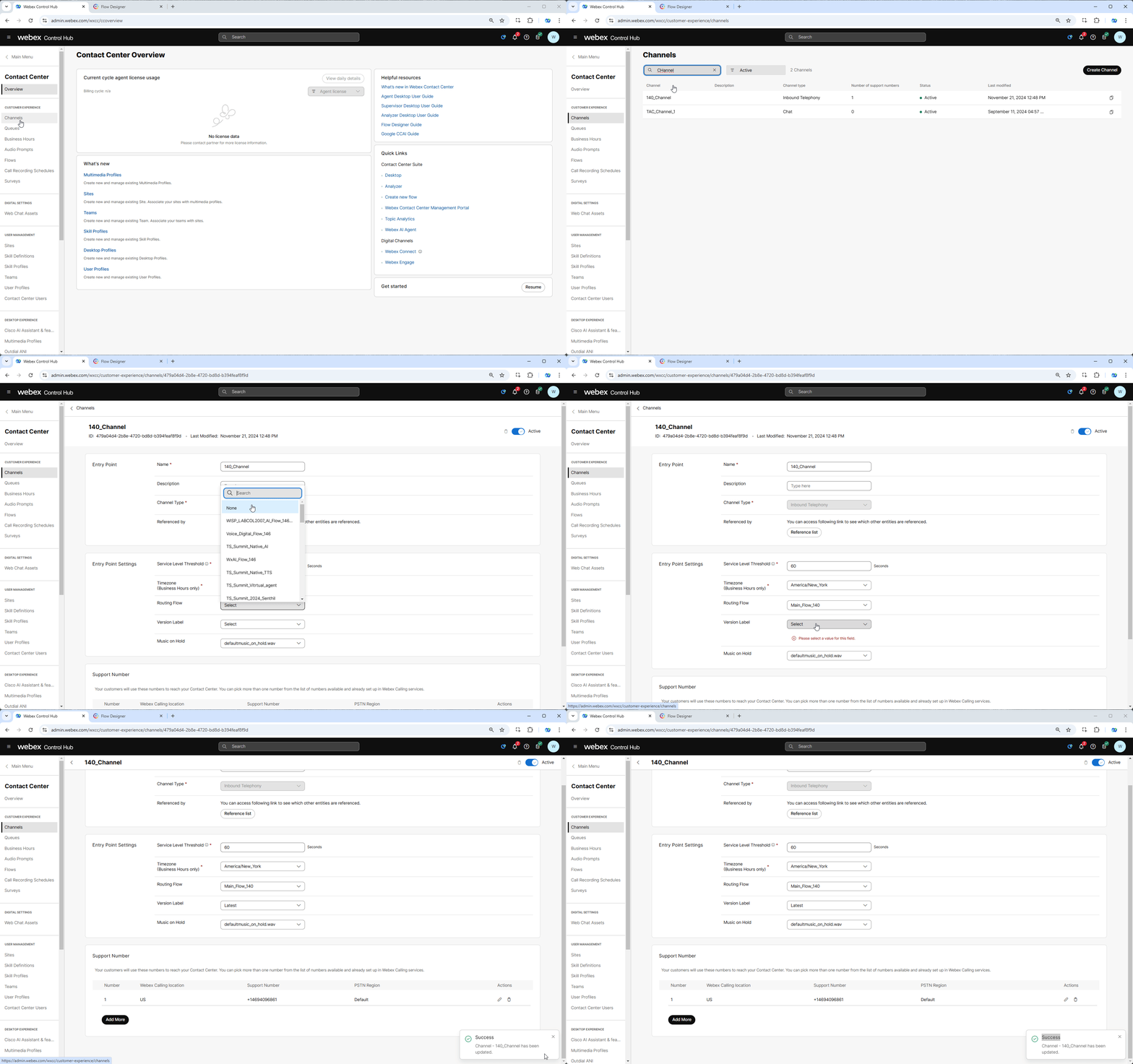
- Return to Control Hub to assign the Flow to your Channel (Entry Point). Go to Channels, search for your channel Your_Attendee_ID_Channel
- Click on Your_Attendee_ID_Channel
-
In Entry Point settings section change the following, then click Save button:
-
Routing flow: Main_Flow_Your_Attendee_ID
-
Music on hold: defaultmusic_on_hold.wav
-
Version label: Latest
-
Test Real-Time Transcription feature
-
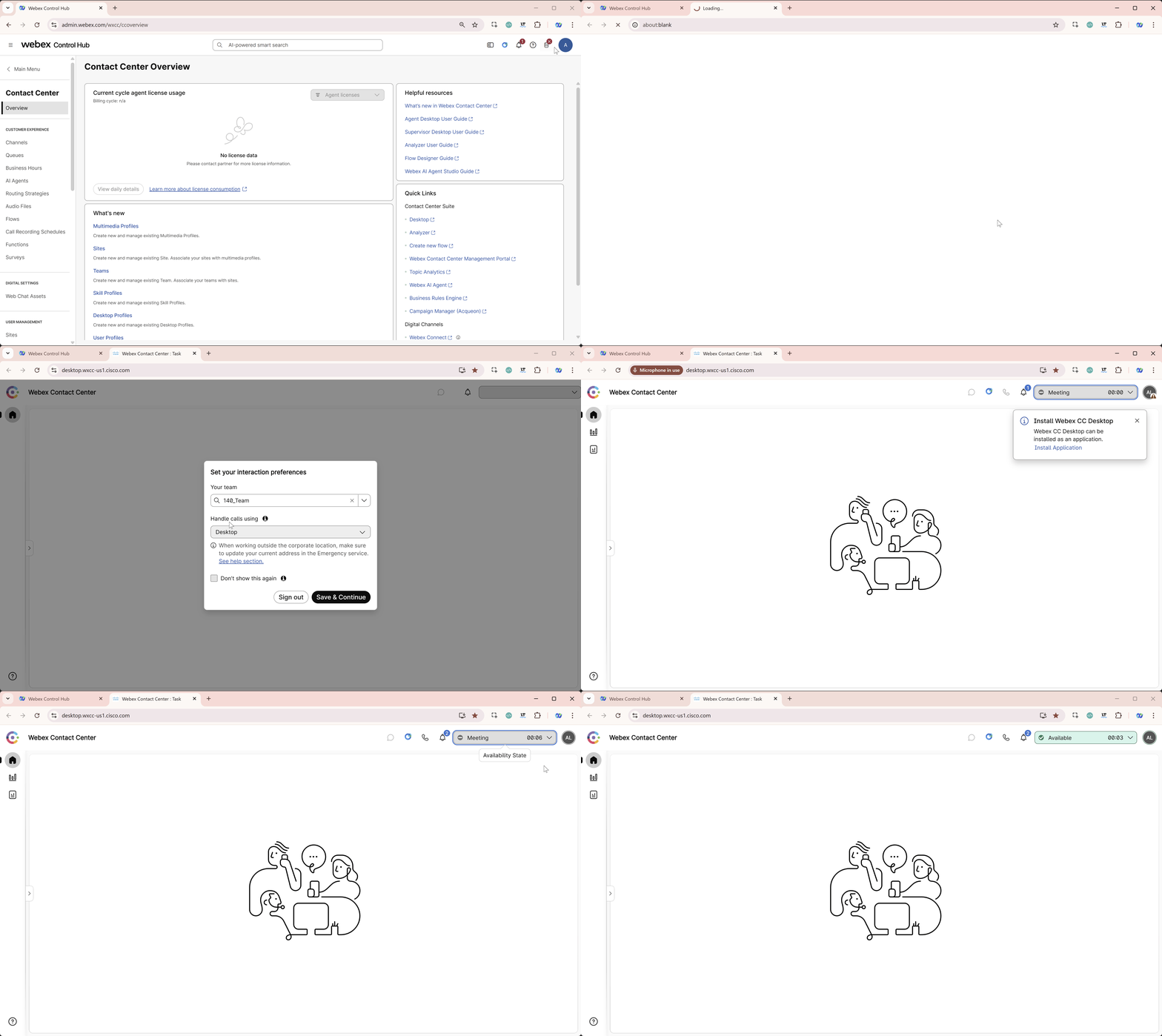
Your Agent Desktop session should still be active. If it is not, launch Desktop using the cross-launch link in Control Hub.
See how to run Agent Desktop from the Control Hub
-
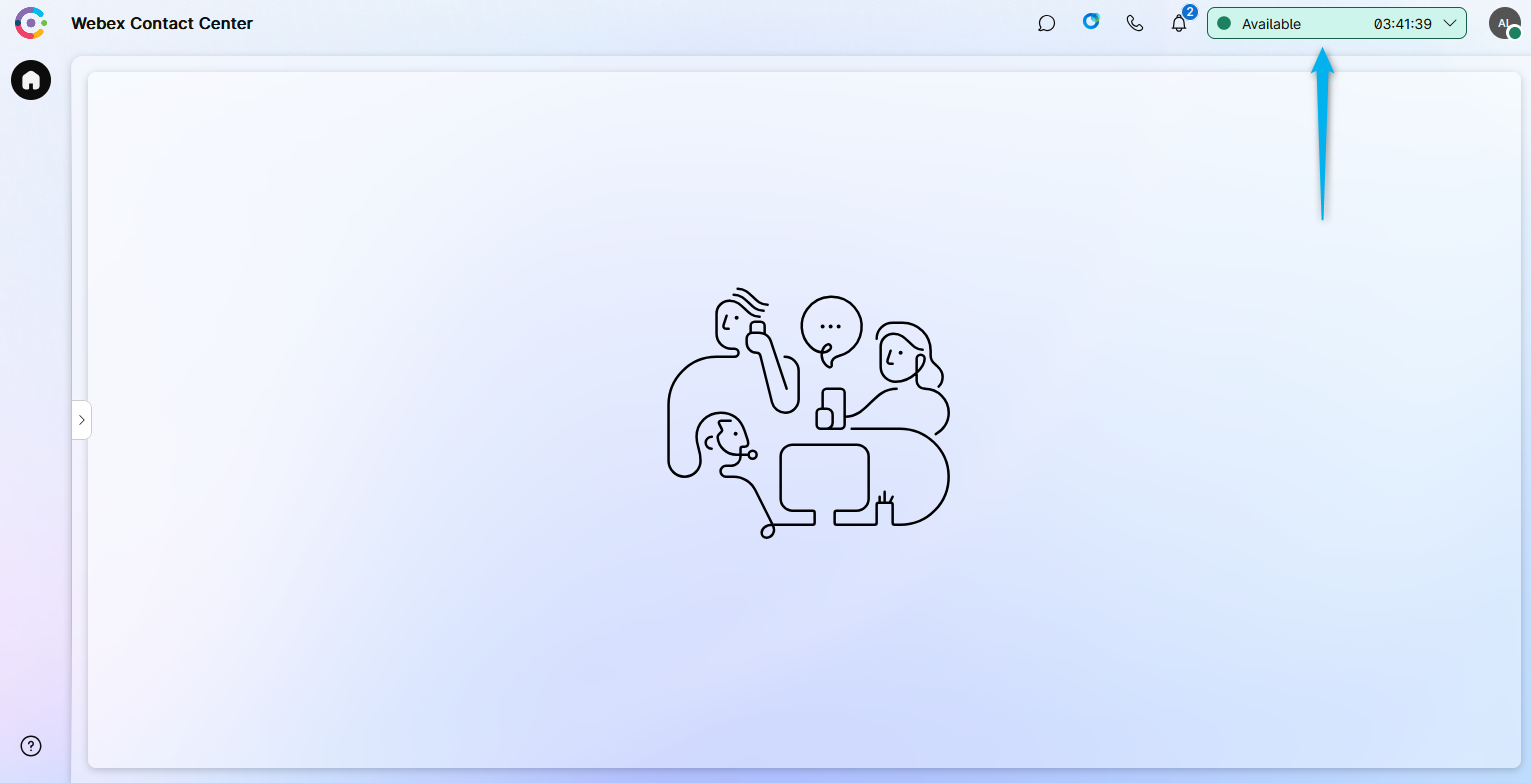
Make your agent Available and you're ready to make a call.
-
Place the test call to the number that is associated with your Your_Attendee_ID_Channel, and ask to talk to an agent.
-
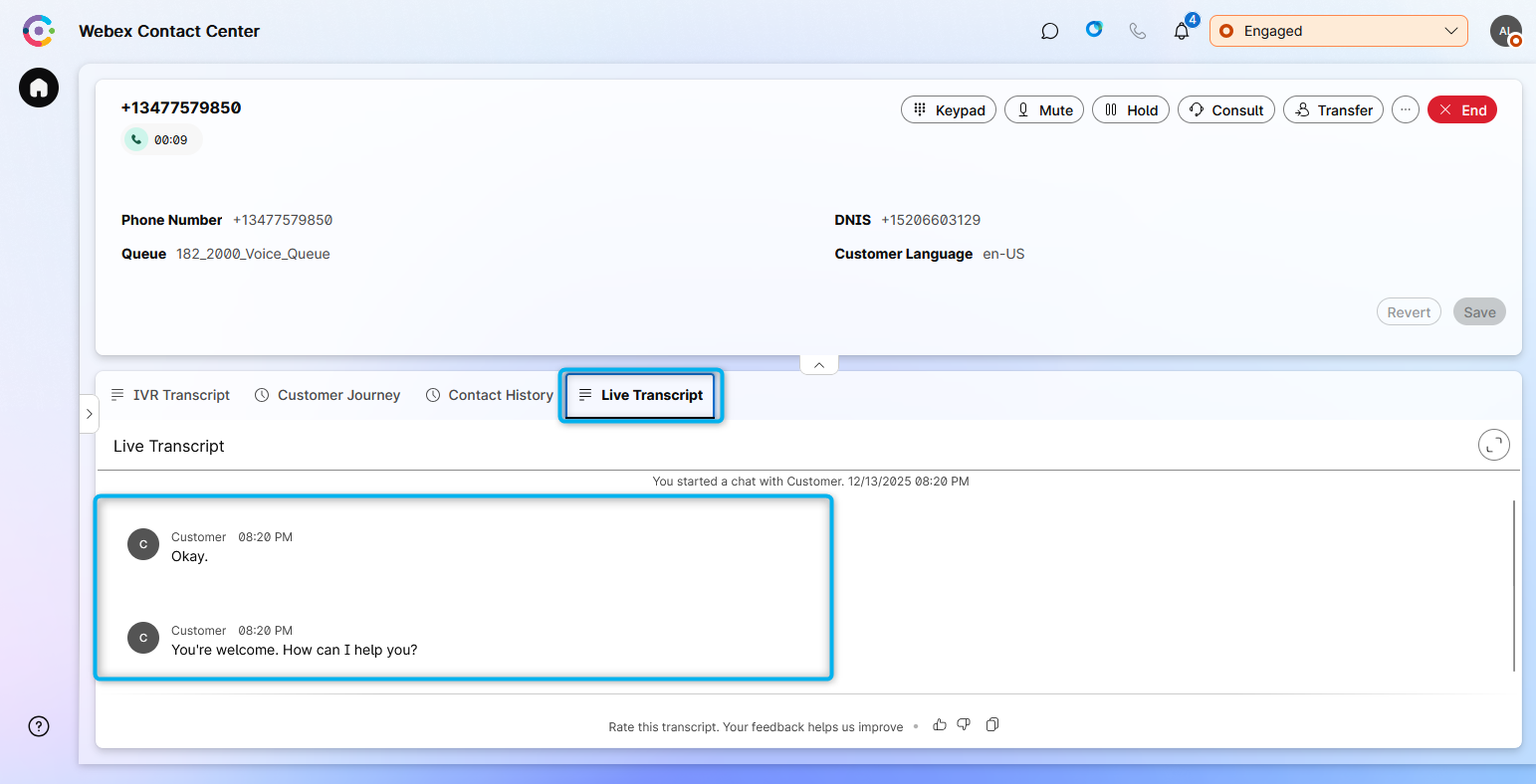
Answer the call and begin speaking. The Live Transcripts panel will display the most recent real-time transcript of the conversation between the caller and the agent.
Congratulations, you have succesfully completed Adding Real-Time Transcript mission! 🎉🎉